

Order picking software with no extra hardware
Pick faster and more accurately with a browser-based app that scans QR and barcodes through any device’s webcam. Add proof-of-pack photos, mid-pick service switches and per-picker throughput reporting — and start picking on the kit you already own.
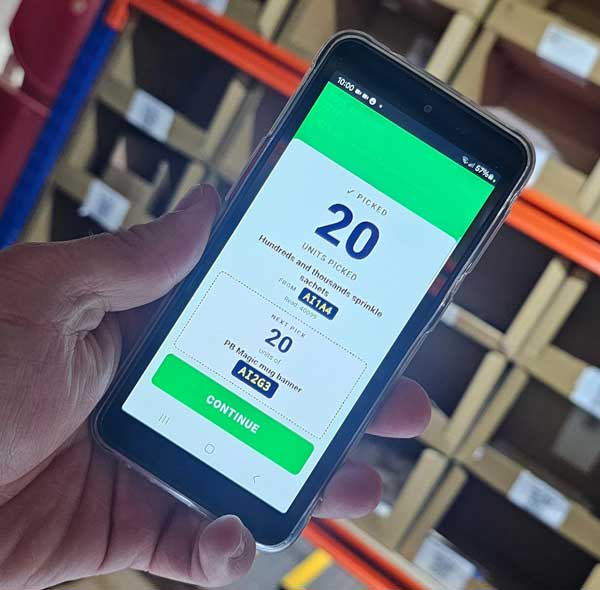
A picking app your team can use on day one
The browser app guides pickers through each order, scanning to confirm every item. Two layouts let pickers choose the workflow that suits the parcel on the bench.
- Webcam QR scanning — no handheld scanners to buy, charge or replace.
- Two pick layouts (classic and compact-header) for different parcel sizes.
- Optional desktop app for benches needing direct thermal printing.
- Multi-fragment allocation handling for split lots, FEFO-first.
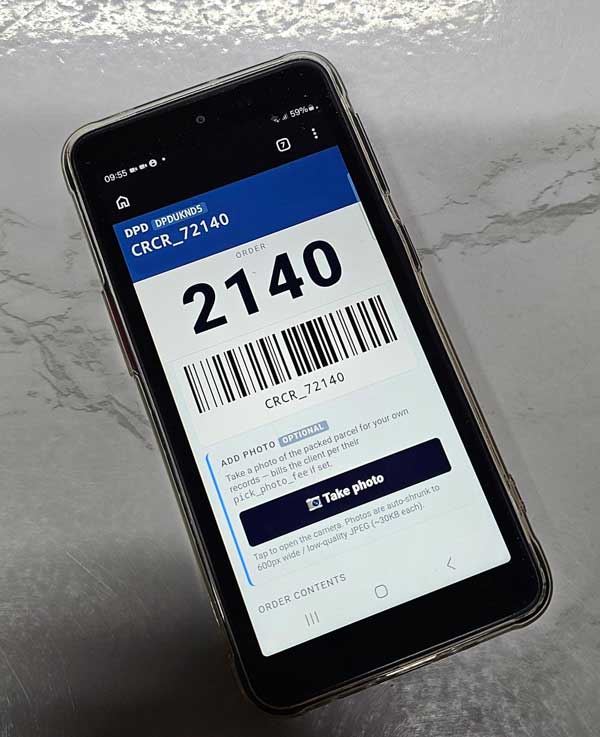
Everything captured at the moment of pack
Confirm-time actions turn the pack bench into your audit trail — photos, gift messages, personalisation and packaging codes all captured as the parcel goes out.
- Proof-of-pack photos attached to the order.
- Gift-message acknowledgement and print at confirm.
- Personalised-label generation at confirm.
- Packaging code scan and per-SKU surcharges for heavy / fragile / oversized.
See how every order flows across the bench
Picker analytics and a CCTV-linked pick log give you throughput insight and an answer to every “what happened with this parcel?”
Picker performance
Cadence and throughput reports with per-picker breakdowns.
Pick-time model
A linear-regression estimate of how long an order “should” have taken.
CCTV pick log
Second-level timestamps so disputes can be reconstructed from camera footage.
Service switch mid-pick
Honour upgrade requests before the label is generated.
Re-rank the queue
Push an order to the top of the queue or down, on demand.
Picker pinned to warehouse
Each picker sees only orders for their unit in multi-warehouse setups.
From Shopify order to dispatched parcel, in one flow
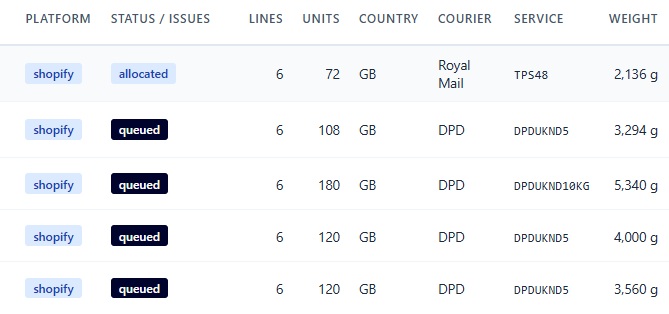
Orders arrive from every connected store and marketplace with deduplication, drop into the picking queue, and push tracking back to the source platform once dispatched.
- Multi-source intake from Shopify, WooCommerce, Amazon, eBay and more
- Tabbed order pipeline: active, awaiting release, held, picking, picked, dispatched
- Tracking events pushed back to the source platform automatically
Order picking software questions
None beyond a device with a camera. The picking app runs in the browser and scans QR and barcodes via webcam, so any phone, tablet or bench PC works. For benches that need direct thermal printing, an optional desktop EXE is available.
Yes. Orders flow in from Shopify (and WooCommerce, Amazon, eBay and more) with deduplication, then move through the picking queue to dispatch. Tracking events are pushed back to Shopify automatically. See integrations.
Pickers scan each item, capture proof-of-pack photos at confirm, and a CCTV pick log with second-level timestamps lets you reconstruct any pick from camera footage. A pick-time linear-regression model also flags orders that took longer than expected.
Yes. If a message-to-warehouse upgrade request comes in, the picker can switch the service mid-pick before the label is generated, so the parcel still ships on the right service.
Watch a real order get picked in minutes
Book a demo and we’ll pick a live order end to end — scan, photo, confirm and label — on a standard phone, so you can see how little hardware it takes.